Rockerbox
Rockerbox is a marketing-measurement and attribution platform for ecommerce teams that need to unify channel and Shopify data, compare contribution, and allocate budget with explicit measurement assumptions. Rockerbox is aimed at digital-first brands that need a measurement layer between advertising platforms and store outcomes. Teams compare attribution and aggregate planning views before changing channel allocation.
Rockerbox is a marketing-measurement and attribution platform for ecommerce teams that need to unify channel and Shopify data, compare contribution, and allocate budget with explicit measurement assumptions. Rockerbox is aimed at digital-first brands that need a measurement layer between advertising platforms and store outcomes. Teams compare attribution and aggregate planning views before changing channel allocation.
Rockerbox is a marketing-measurement and attribution platform for ecommerce teams that need to unify channel and Shopify data, compare contribution, and allocate budget with explicit measurement assumptions.
- Views
- 0
- Uses
- 0
- Favorites
- 0
- Supported Platforms
- Shopify
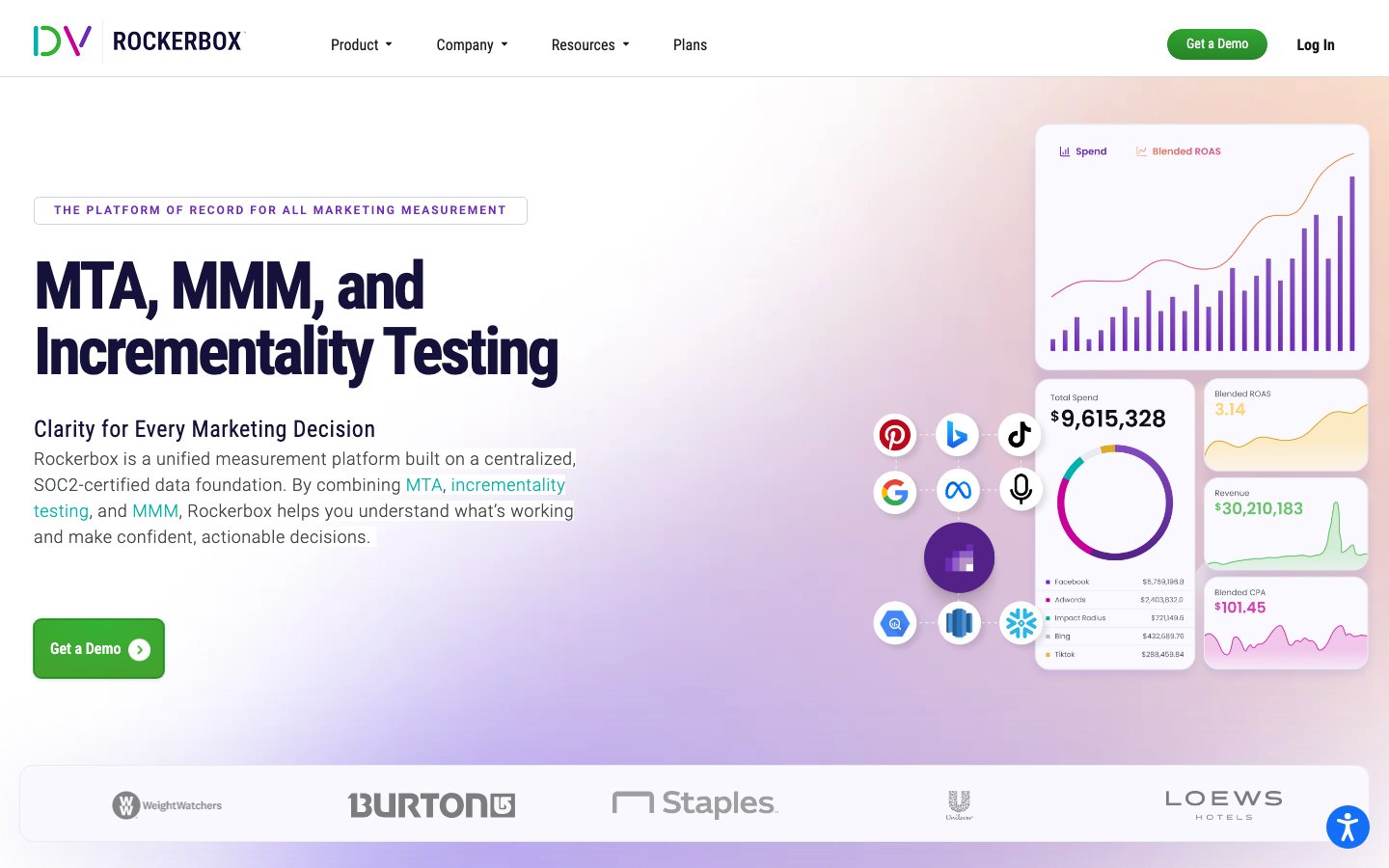
Buying view: It explicitly targets digital-first Shopify brands, with a plan for lower-spend brands as well as broader enterprise measurement options. Measurement setup must be reconciled with finance and platform reporting; attribution changes should guide tests, not automatically justify budget reallocations.
Capabilities
Rockerbox organizes marketing spend, touchpoints and revenue data for multi-touch attribution, marketing mix modeling and incrementality testing. The shared data foundation helps teams compare different measurement methods, while each method retains its own inputs, assumptions and interpretation.
What problem it addresses
Growth teams need to reconcile first-party commerce data with advertising-platform signals before using attribution to guide budget tests.
How people use it
Analysts connect marketing and revenue data for attribution, model historical spend for budget scenarios, or arrange an incrementality test. The team compares these different forms of evidence before making investment decisions; they are not interchangeable measures of causality.
The operator configures conversion events from supported pixels, webhooks or batch inputs in Rockerbox. For each conversion, Rockerbox gathers the user’s recorded marketing events within the attribution window and constructs the path. Reports allocate credit using the selected attribution view, allowing the marketer to compare channels and investigate budget choices.
Attribution types are alternative views over deduplicated conversions, not consecutive stages. A report default does not authorize an advertising change, and the output is measurement evidence rather than an automatically executed media plan.
The team supplies historical spend, revenue and relevant business factors. Rockerbox models their relationship, then planners set objectives and constraints to compare budget scenarios. They use the forecast to choose a spending plan; a modeled scenario does not automatically change live campaigns.
The team agrees a hypothesis, test scope and control design with Rockerbox or its testing partner. The agreed experiment is executed and analyzed to estimate incremental impact. Results can inform investment decisions or calibrate other measurement, with uncertainty retained; attribution reports alone do not constitute an experiment.
What each module does and its role
Multi-touch attribution
Rockerbox joins marketing touchpoints and conversion data to compare channel contribution across supported models. Analysts use the model output as a decision input, not as proof that one model is the only true account of causality.
Marketing mix modeling
Marketing mix modeling estimates the relationship between spend and outcomes at an aggregate level. It gives planners a complementary view when user-level paths are incomplete or unsuitable for the decision.
Data foundation and identity
The data foundation standardizes first-party conversion inputs and data from supported marketing sources before analysis. Its practical role is to make attribution and planning outputs traceable back to defined inputs.
Reporting and decision views
Dashboards and reporting views expose channel, campaign, and customer-performance insights to the operating team. Teams can use those views to change budget or investigate a discrepancy while retaining the underlying measurement assumptions.
Incrementality Testing
Teams define a hypothesis and compare a test group with a control under an agreed experiment design. Rockerbox can support design, execution and interpretation, or use existing test evidence to calibrate measurement; the result retains its experimental scope and uncertainty.
Commercial plans
View official pricing detailsRockerbox's Data Foundation supports attribution, marketing mix modeling and incrementality analysis. The public plans page describes these purchasing components but provides no numeric rate schedule. Confirm the selected measurement products, data connections and service scope in a quote; they are not fixed-price steps in a budget ladder.
Rockerbox commercial scope
| Product or sales surface | Scope | Public price and status |
|---|---|---|
| Data Foundation and Analysis | A package whose scope is determined by the sales team, combining normalized marketing data with measurement methods. Included plan entitlements
| Custom quote |
Comparable tools: price and workflow
| Tool | Workflow difference | Official public price reference |
|---|---|---|
| Cometly | The decision is where to allocate paid budget using connected store, ad, and conversion data. Compare pixel and event coverage, identity matching, reporting model, CAPI or ad-platform return paths, and reconciliation process. | Core — Usage-based quoteEnterprise — Custom usage-based quoteCometly pricing ↗ |
| Northbeam | The decision is where to allocate paid budget using connected store, ad, and conversion data. Compare pixel and event coverage, identity matching, reporting model, CAPI or ad-platform return paths, and reconciliation process. | Starter — Custom quoteProfessional — Custom quoteEnterprise — Custom quoteNorthbeam pricing ↗ |
| Triple Whale | The decision is where to allocate paid budget using connected store, ad, and conversion data. Compare pixel and event coverage, identity matching, reporting model, CAPI or ad-platform return paths, and reconciliation process. | Founders Dash — $0Growth — From $129/monthPro — From $199/monthEnterprise — Custom quoteTriple Whale pricing ↗ |
| Polar Analytics | The team needs a shared ecommerce data layer and recurring reports across sales, marketing, inventory, or finance inputs. Source mapping, transformations, metric definitions, refresh timing, and data ownership decide whether the report is trustworthy. | Analyze — From $750/monthGrow — Custom quoteScale — Custom quotePolar Analytics pricing ↗ |
| Supermetrics | The team already has a reporting or BI destination and primarily needs reliable connectors and scheduled data delivery. Supermetrics does not replace data modelling or business definitions; compare source coverage, refresh limits, destination cost, and ownership. | Starter — From $37/month billed annuallyGrowth — From $199/month billed annuallyEnterprise — Custom quoteSupermetrics pricing ↗ |
Frequently asked questions
What is Rockerbox?
Rockerbox is a marketing measurement and attribution platform.
How much does Rockerbox cost?
Data Foundation and Analysis uses a custom quote. Confirm taxes, usage charges and current contract terms on the linked official pricing source before purchase.
Which tools integrate natively with Rockerbox?
The verified first-party directory lists Meta Ads, Google Ads, TikTok Ads, Amazon Ads, Shopify, Klaviyo. Each connector supports a defined data path, so check its guide before assuming every object or action is available.
Who is Rockerbox best for?
Rockerbox is best suited to brands that need multi-touch measurement across paid and owned channels. The practical fit still depends on data volume, team skills and the systems already in use.
What are the main Rockerbox alternatives?
This page compares Cometly, Northbeam, Triple Whale, Polar Analytics, Supermetrics. Compare their complete plan prices, workflow scope, native connections and data ownership against the same operating scenario.
What should buyers check before choosing Rockerbox?
Check this boundary first: source coverage, identity resolution, warehouse work and service scope affect results and cost. Run a small production-like test and confirm export, cancellation and renewal terms before a broad rollout.
Native connections
Use the documented connector to exchange supported data or trigger the supported workflow with Meta Ads.
Rockerbox integrationsUse the documented connector to exchange supported data or trigger the supported workflow with Google Ads.
Rockerbox integrationsUse the documented connector to exchange supported data or trigger the supported workflow with TikTok Ads.
Rockerbox integrationsUse the documented connector to exchange supported data or trigger the supported workflow with Amazon Ads.
Rockerbox integrationsUse the documented connector to exchange supported data or trigger the supported workflow with Shopify.
Rockerbox integrationsUse the documented connector to exchange supported data or trigger the supported workflow with Klaviyo.
Rockerbox integrationsSources
- Rockerbox official product page
- Rockerbox: Official pricing
- Rockerbox conversion events
- Rockerbox attribution types
- Shopify connection
- Cometly pricing
- Northbeam pricing
- Triple Whale pricing
- Polar Analytics pricing
- Supermetrics pricing
- Rockerbox integrations
- Official feature and workflow documentation
- Official feature and workflow documentation
User reviews
1 reviewsChecked Sep 21, 2026
Rockerbox Attribution Platform; summary of an incentivized reviewer’s Pros and Cons answers.
Review summary (our paraphrase)
Rockerbox
Content checked:
Praised responsive support and conversion-path reporting; found some terminology potentially confusing.
Read original review